❓ How to Effectively Manage Subtasks in Jira
In this How To from Jira series, we will explore why to use Jira subtasks and the benefits they bring to project management. Learn more about Subtasks below!
Table of content

Why To Use Subtasks in Jira?
Improved task organization
Subtasks are like breaking down a big project into smaller, more manageable pieces. It's like turning a complex task into bite-sized chunks that are easier to handle. This helps you keep a close eye on your progress and see what still needs to be done.
Clearer task dependencies
Subtasks help us figure out order. They let us see which tasks depend on each other, so we know what needs to happen first. For example, if you're making a video, you can't edit it until you've shot all the scenes. So, shooting scenes would be a subtask that needs to come before editing.
In simple terms, subtasks help us understand the sequence of tasks in a project, just like you need to build the walls before the roof in a construction project.
Enhanced task tracking
Subtasks offer a way to keep a closer eye on how things are progressing in a project. It's like having a zoomed-in view that shows the smaller details. This means you can see each step of the project more clearly and understand how it's moving forward. This helps you stay on top of things and make sure everything is going according to plan.
When speaking about Subtasks I have to mention an app I personally find really useful, the Subtask Navigation for Jira, which makes all sibling subtasks visible in a single panel, so you don't have to navigate back to the parent issue. It provides as well a comprehensive view of sibling descriptions and an overview of epic progress, where you can check time tracking of subtasks within your epic.
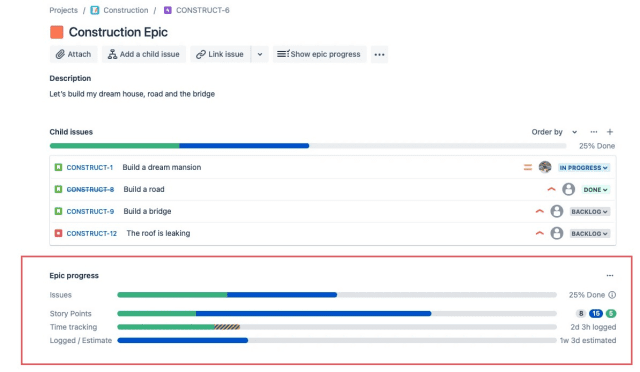
How to Use Subtasks in Jira Properly for Better Project Management
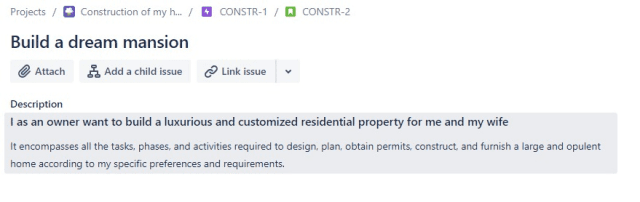
Define clear parent tasks
- Ensure that the parent task is well-defined and has a clear objective.

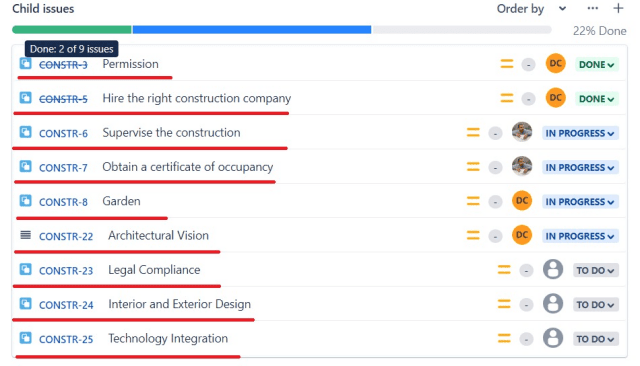
Break down tasks effectively
- Identify the different components or steps required to complete the parent task
- Create subtasks for each component or step, ensuring they are specific, actionable and doable in one day
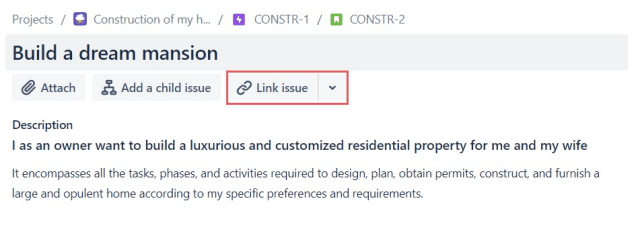
Set task dependencies
- Determine the dependencies between subtasks and set them accordingly
- Use Jira's linking feature to establish relationships between subtasks
Assign responsibilities
- Assign subtasks to the appropriate team members or individuals.
- Clearly communicate the responsibilities and expectations for each subtask
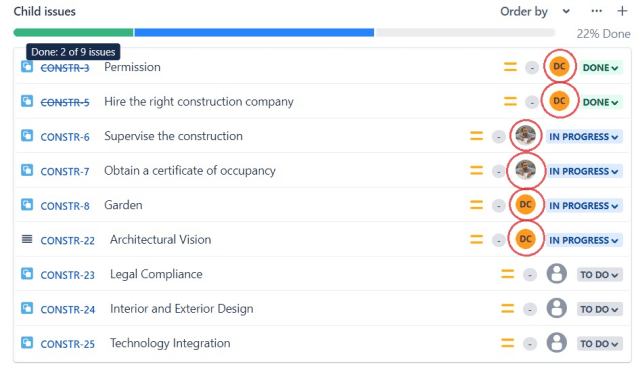
Monitor progress and update status
- Regularly monitor the progress of subtasks and update their status accordingly
- Use Jira's workflow features to track the progress of subtasks or Subtask Navigation for Jira which creates a new convienient panel just above your subtasks list
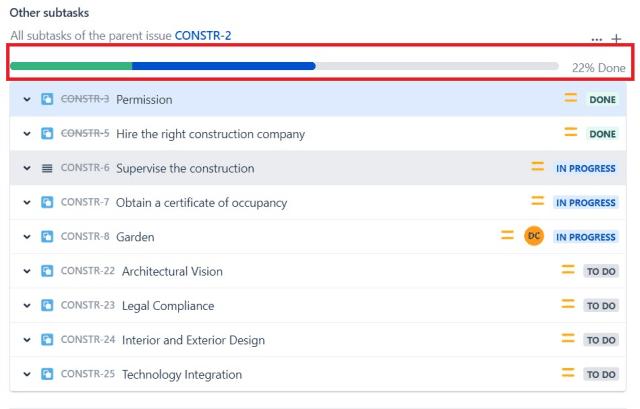
Communicate and collaborate
- Encourage team members to communicate and collaborate on subtasks
- Use Jira's commenting feature to discuss and provide updates on subtasks

These are the best practices I personaly find really useful while using Subtasks in Jira.